Showing posts with label SCCM 2007 Schema extension. Show all posts

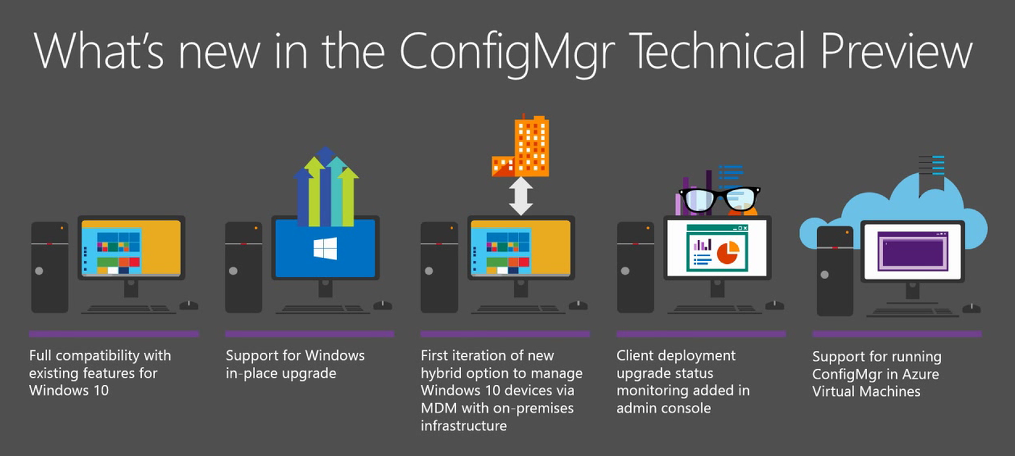
SCCM Technical Preview

Technical Preview builds are pre-release versions of software or operating systems that are made available to a select group of users for testing and feedback purposes. These builds are part of the software development process and are released to a limited number of enthusiasts, developers, or early adopters who are willing to try out the software and provide feedback to the developers or companies.

The primary objectives of releasing technical preview builds are:

1. Testing: Developers and companies use technical preview builds to gather information about bugs, glitches, and compatibility issues that might not have been discovered during internal testing. This wider testing helps identify and resolve issues before the final release to a broader audience.

2. Feedback: Users who participate in testing technical preview builds are encouraged to provide feedback about their experience with the software. This feedback is invaluable for developers as it helps them understand how users interact with the product and identify areas for improvement.

3. Feature Evaluation: Technical preview builds often include new features or changes that are not available in the current stable version. By releasing these features to a smaller audience first, developers can gauge user reactions and decide whether to keep, modify, or remove certain features before the official release.

4. Engaging the Community: Offering technical preview builds fosters a sense of community involvement. Users who participate in testing and providing feedback feel more connected to the development process and have a chance to influence the final product positively.

For operating systems like Windows, macOS, or Android, technical preview builds allow interested users to get a sneak peek at upcoming features and changes. However, it's essential to keep in mind that technical preview builds are not intended for daily use on production systems because they might have bugs and unfinished features that could affect stability and performance.

Microsoft's Windows Insider Program, Apple's macOS Beta Software Program, and Google's Android Beta Program are examples of initiatives that provide early access to technical preview builds to users who want to participate in the testing and development process.


Verify if the SCCM Schema is extended using ADSI Edit.


After extending the SCCM Schema using the ExtDSch.exe located in the SMSSETUP\BIN\I386 folder on the Configuration Manager 2012 installation media. The ExtAdsh.exe file does not display the output when it runs, however it generates a log file in the root of the system drive folder naming extadsch.log which shows the message “Successfully extended the active directory schema” If the schema was extended successfully.
But if an admin wants to know what actually happened at the AD side he can log on to AD & using ASDI Edit console he can check the classes & attributes created after schema extension.
Here are the steps to perform the action:-
Log on to AD & using the server manager, go to Tools \ ADSI Edit


From the ADSI Edit console, Right click on ADSI Edit & click on “connect to”:-


In the connection settings, click the drop down menu for “Select a well known naming context:” & select “Schema” from the drop down menu:-


Click Ok after the selection.

From the schema console check the Classes & attributes:-


Following are the classes which are created after SMS 2003, SCCM 2007, SCCM 2012 schema extension :-
Classes:
  •  cn=MS-SMS-Management-Point
  •  cn=MS-SMS-Roaming-Boundary-Range
  •  cn=MS-SMS-Server-Locator-Point
  •  cn=MS-SMS-Site

Following are the attributes which are created after SCCM 2007, SCCM 2012 schema extension:-
Attributes:
  • cn=mS-SMS-Assignment-Site-Code
  •  cn=mS-SMS-Capabilities
  •  cn=MS-SMS-Default-MP
  •  cn=mS-SMS-Device-Management-Point
  •  cn=mS-SMS-Health-State
  •  cn=MS-SMS-MP-Address
  •  cn=MS-SMS-MP-Name
  •  cn=MS-SMS-Ranged-IP-High
  •  cn=MS-SMS-Ranged-IP-Low
  •  cn=MS-SMS-Roaming-Boundaries
  •  cn=MS-SMS-Site-Boundaries
  •   cn=MS-SMS-Site-Code
  •  cn=mS-SMS-Source-Forest
  •   cn=mS-SMS-Version

Following are the attributes which are created after SMS 2003 schema extension:-
Attributes:
  • MS-SMS-Site-Code
  • MS-SMS-Assignment-Site-Code
  • MS-SMS-Site-Boundaries
  • MS-SMS-Roaming-Boundaries
  • MS-SMS-Default-MP
  • MS-SMS-Device-Management-Point
  • MS-SM-MP-Name
  • MS-SMS-MP-Address
  • MS-SMS-Ranged-IP-Low
  • MS-SMS-Ranged-IP-High